
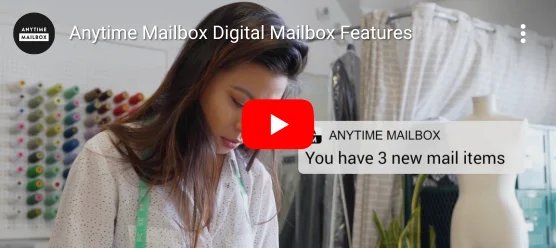
Apartment living adds a quiet mail problem: lobby shelves overflow, porch pirates learn your delivery window, and roommates misplace each other’s envelopes. Couples who split time between two addresses face the same chaos in stereo. A virtual mailbox with a real street address and scanned mail can turn that mess into a triage queue—if you set rules before the next tax letter arrives.
Anytime Mailbox (anytimemailbox.com) offers virtual mailbox locations across the US with digital capture and related mail services described on its site. This English guide focuses on shared households and apartment-lobby pain—not a live price sheet and not legal advice about what address you may use for banking or government IDs.
In this guide:
- Name the household mail failure mode
- Set up access without chaos
- Weekly triage that roommates will follow
- Compare mailbox roles
- A move-in / lease checklist
1. Name the Household Mail Failure Mode
Write the failure in one sentence: packages vanish from the lobby, a co-signer never sees bank letters, or a parent’s medical mail sits in a building you left. Different failures need different Anytime Mailbox settings—scan-only versus open-and-scan, forwarding versus shredding, one login versus delegated access.
Check lease and HOA rules before redirecting carrier mail. Some buildings require management notice when you change delivery patterns.
2. Set Up Access Without Chaos
On Anytime Mailbox, compare location cities against where senders already expect you. Pick a plan tier that matches volume, not aspirational minimalism. Create a shared note with: login owner, who may request opens, what gets shredded on sight, and which senders must never be ignored (IRS, banks, courts, insurers).
Verify identity documents the service requests. Incomplete KYC delays the street address you wanted for carrier delivery.
3. Weekly Triage That Roommates Will Follow
Agree a 15-minute Sunday review: open scans, flag action items, archive junk. Assign one “mail captain” rotating monthly so resentment does not build. Photograph large package receipts when you arrange local pickup so nobody claims the box never arrived.
For couples with two homes, decide which address receives which sender category. Mixing everything into one pile recreates the lobby problem digitally.

4. Compare Mailbox Roles
| Role | Helps when… | Watch-outs |
|---|---|---|
| Scan + store | You need visibility without daily lobby trips | Storage limits and open fees |
| Physical forward | Something must reach you on the road | Forwarding cost and delays |
| Shred on request | Junk volume is the pain | Do not shred anything legal-looking unread |
| Recipient sharing | Partners or assistants help triage | Permissions and privacy boundaries |
5. A Move-In / Lease Checklist
- List critical senders; update them after the Anytime address is active.
- Tell roommates the lobby is no longer the default for those senders.
- Test one low-stakes delivery before redirecting banks.
- Calendar the weekly triage; treat it like taking out trash.
- Keep proof of address documents where your lease folder lives.
Compare current plans and locations on anytimemailbox.com and read fine print for prohibited contents and identity rules.
Find an Anytime Mailbox Location
Official help pages beat Facebook building groups when a scan looks cropped or a package status stalls.
If costs are shared, put the subscription on a joint card or rotate reimbursement monthly in writing.
Seasonal moves (summer sublets, winter travel) are easier when the mailbox stays put and humans move.
When Wi-Fi is weak, offline screenshots of open requests prevent duplicate fees.
Photograph ID uploads’ confirmation screens; support chats go faster with timestamps.
End each month by shredding or forwarding anything older than your retention rule so storage fees do not creep.
Never use a virtual address in ways your bank or government agency forbids—read their rules, not only the mailbox marketing page.
For package-heavy households, combine mailbox scanning with carrier holds or building lockers when available; one tool rarely solves every theft pattern.
Keep a simple shared spreadsheet of open tickets and expected checks so nobody double-requests the same envelope.
Keep receipts and screenshots in one folder dated by month so renewals and disputes are boring instead of forensic.
When in doubt, slow down: one clear decision beats three impulsive toggles in the account dashboard.
Apartment package theft often peaks on long weekends when lobbies fill and cameras feel decorative. Moving high-value senders to a staffed Anytime location reduces the “porch” surface even if some retail deliveries still hit the building.
Roommates should sign a one-page mail agreement: whose name is on the Anytime account, how costs split, and what happens when someone moves out mid-lease. Handshake deals dissolve the week a tax refund check appears.
For families caring for an elder relative across town, a virtual mailbox can centralise scans while a local helper still collects occasional physical items. Clear permissions prevent well-meaning relatives from opening sensitive mail casually.
Label digital folders by year and sender type. Search beats memory when an insurer asks for a letter from March.
If you sell online from home, separating business inbound mail from personal medical envelopes is worth the plan upgrade. Mixed inboxes create privacy accidents.
Test SMS or email alerts on day one. An unread scan queue is just a new lobby pile with better lighting.
When forwarding cheques, confirm endorsement rules with your bank before requesting the physical item. Not every institution loves unconventional deposit paths.
End each lease year by updating voter registration and DMV addresses according to local law—not according to whichever mailbox felt convenient in July.
Keep a printed backup of the Anytime street address in your wallet for forms that still demand ink, and update it whenever you change locations inside the network.
Conclusion
Anytime Mailbox helps apartment and shared households when you name the failure mode, set access rules and run a weekly triage. The product is infrastructure; the discipline is the product.
Frequently Asked Questions
Is this only for digital nomads?
No. Nomads are one audience; apartment and multi-home households are another.
Can I receive government mail anywhere?
Agencies set their own address rules. Verify before redirecting critical correspondence.
Does Anytime Mailbox replace a PO Box?
It is a different product class with digital capture; compare features and carrier acceptance for your use case.